The OpenATS Extension, for Chrome
Add people to OpenATS from LinkedIn and Juicebox.
Chrome and Brave. Sign in with your OpenATS account.
A side panel beside the profile you’re reading.
It says whether they’re already in OpenATS and when your team last emailed them. Then it adds them, work history and all, to the role and stage you pick.
The panel on a LinkedIn profile
The real extension · a made-up person
- 1Open a profile
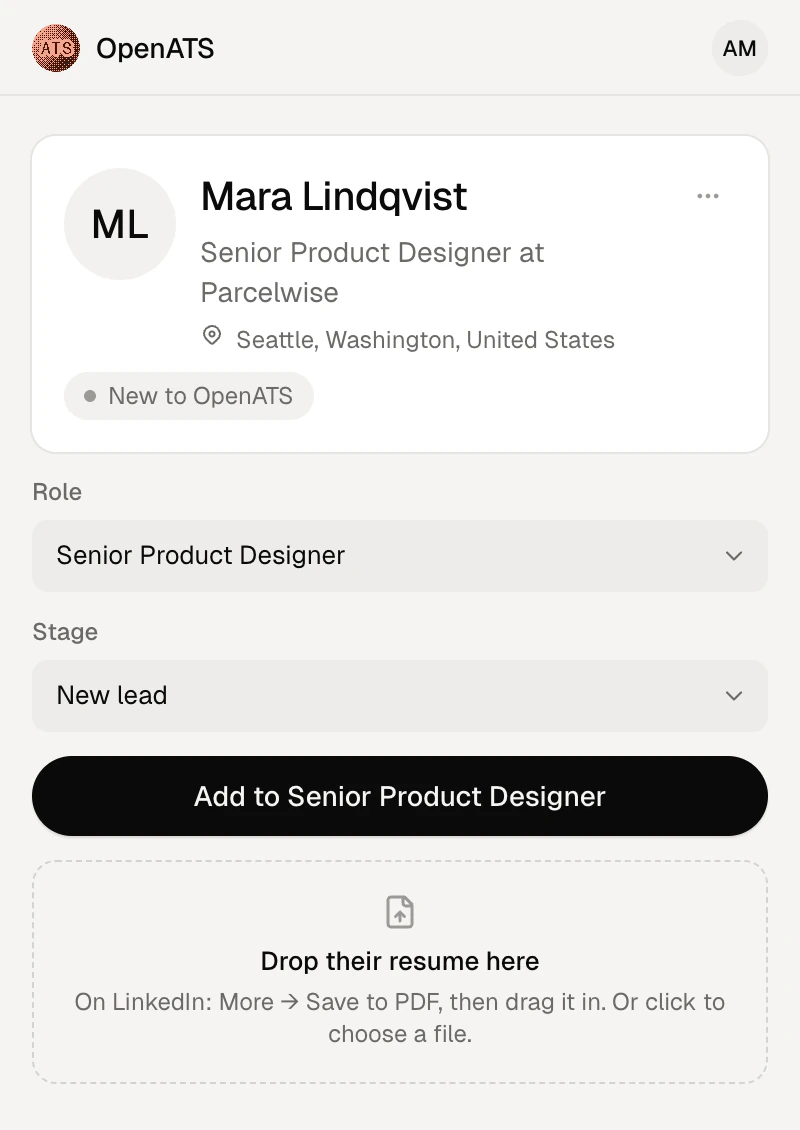
- 2Pick a role
- 3Add them
Before you reach out
Already in OpenATS? It says so first.
Open a profile and the panel looks them up straight away: whether they’re in OpenATS, who emailed them and when, and every role they’re on.
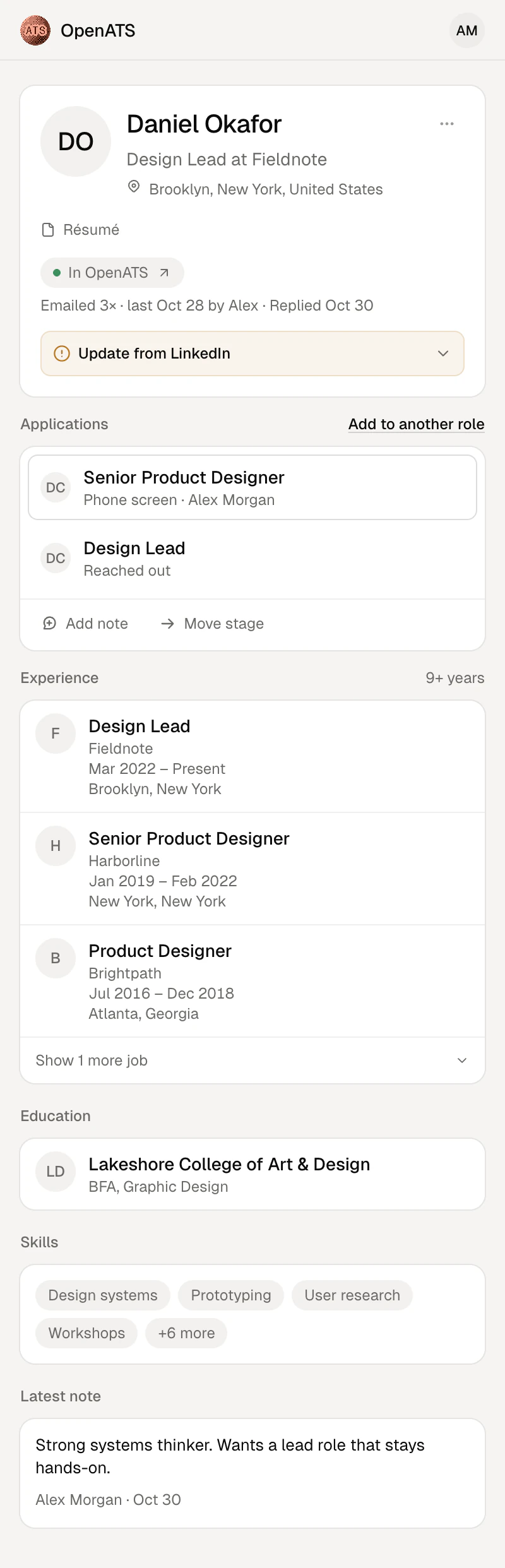
In OpenATS
One click opens them, on the application you’re looking at.
Emailed 3× · Replied Oct 30
Mail from every connected inbox and from OpenATS, each email once.
Every role they’re on
Their stage and owner on each, for the roles you can see.
Update from LinkedIn
When LinkedIn has a newer headline, location or work history, bring it across.
On LinkedIn
One click, with everything they’ve done.
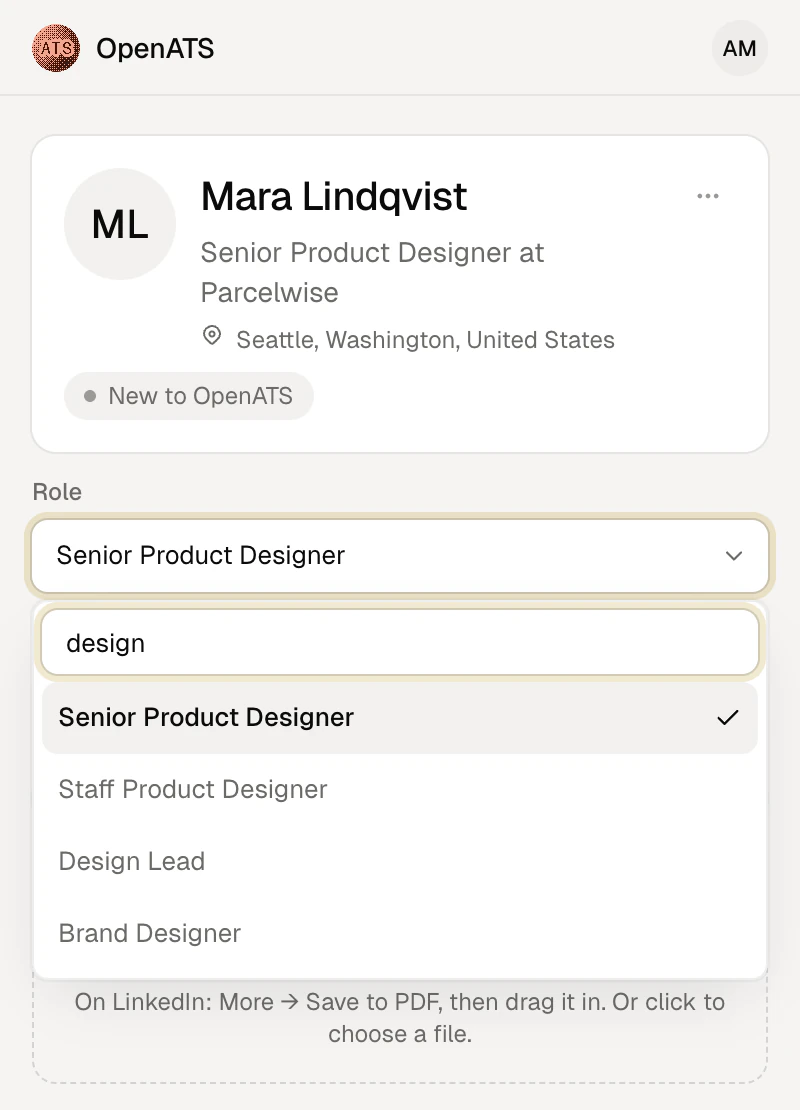
Pick the role and the stage
The role starts on your default and searches as you type. New lead unless you pick another stage.
Their whole work history
LinkedIn draws Experience only once it’s scrolled to, so the panel scrolls down for it, then puts the page back.
Drop in their resume
LinkedIn’s Save to PDF, or any resume. It checks their name is in the file before attaching it.
On Juicebox
Add a shortlist in one go.
An OpenATS column, after Full Name. Anyone you already have says In OpenATS, before anyone clicks.
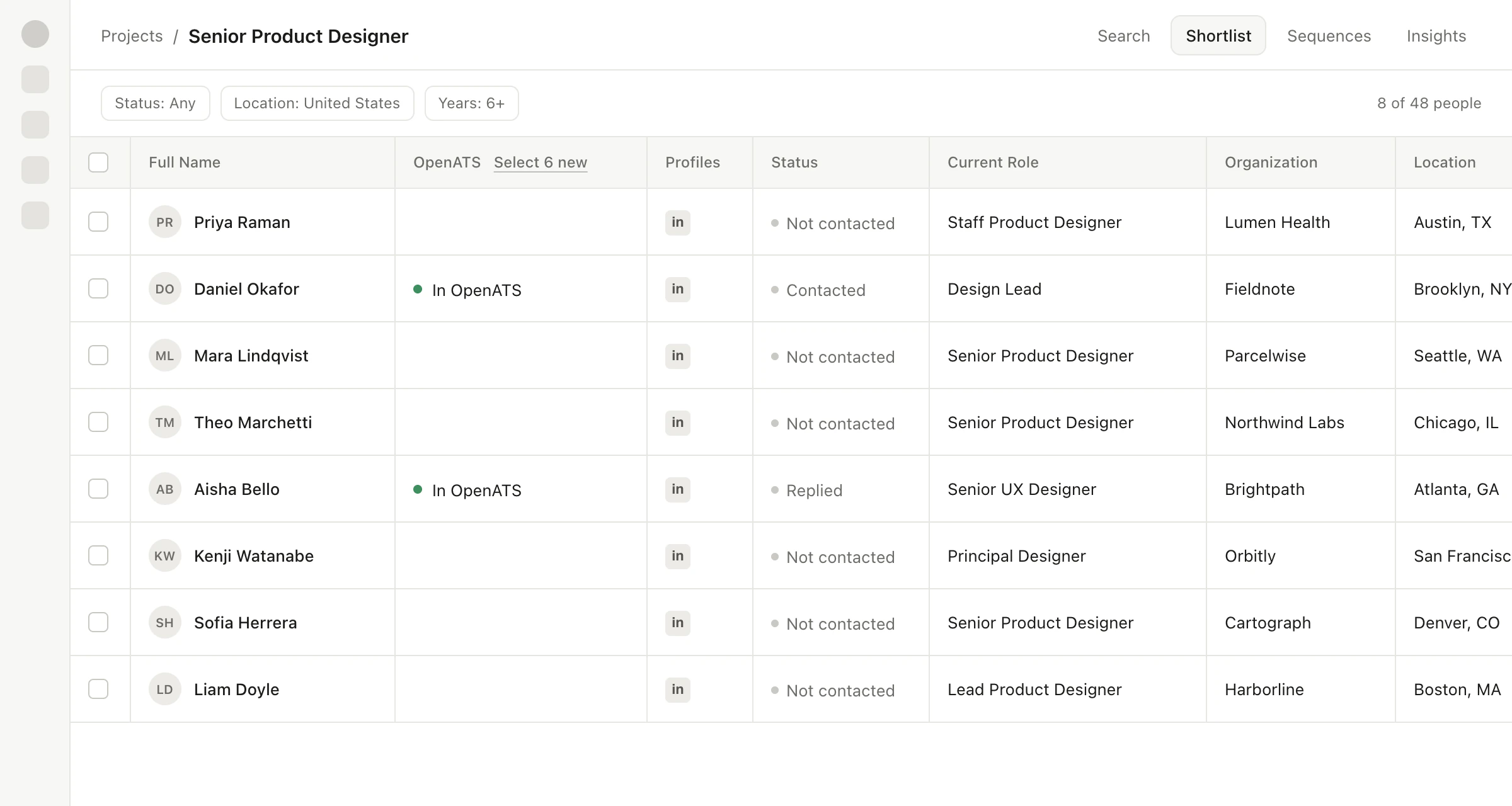
The real extension on a sample shortlist: made-up people, Juicebox’s page simplified.
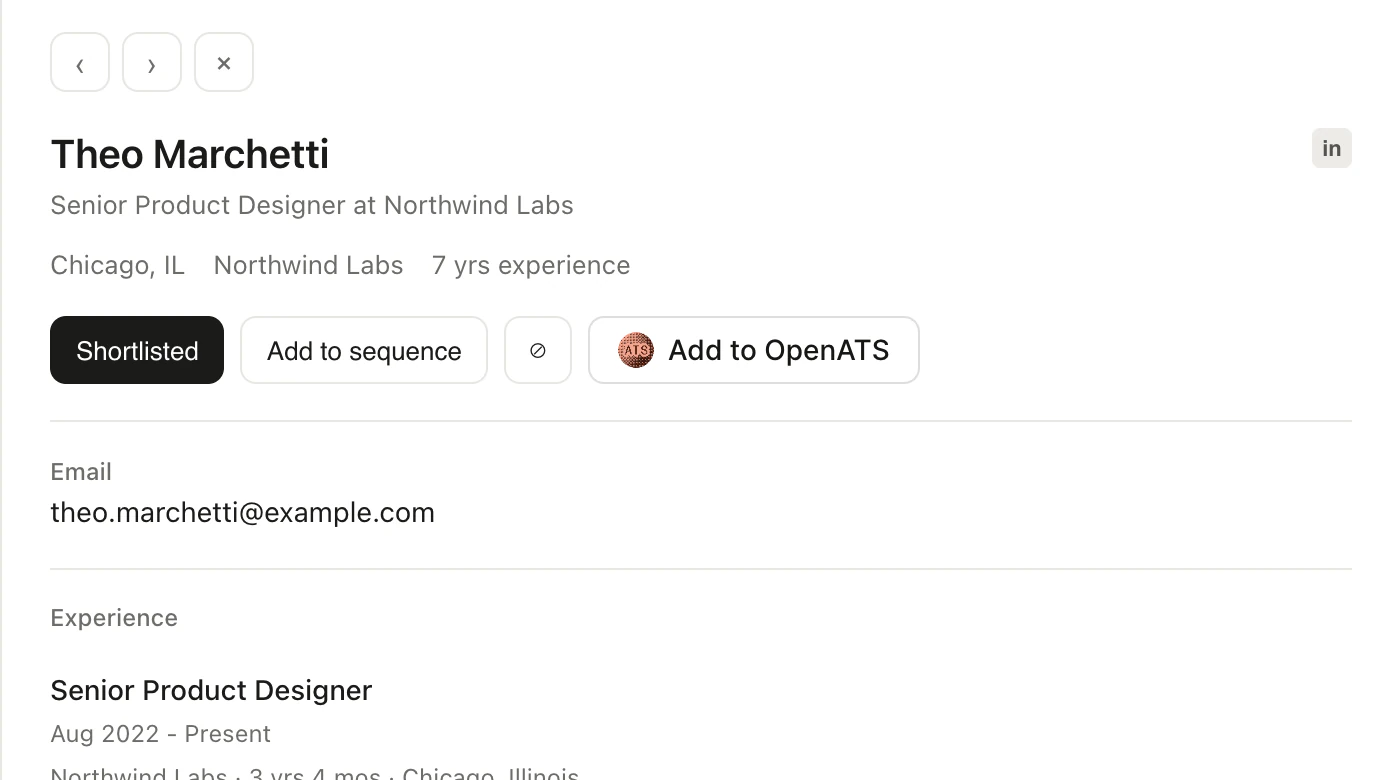
On an open profile, too
Add to OpenATS sits at the end of Juicebox’s own buttons. Once they’re in, it says In OpenATS.
It never clicks Reveal
Email and phone come along once you’ve revealed them in Juicebox. Nothing is revealed for you.
Hover a pill for the story so far
Their stage and role, the furthest they got, who emailed them and when, and their last reply.
One sign-in, yours
It works as you, and sees what you can.
No workspace key to share around. Each recruiter signs in once, and the extension acts as them.
Your own sign-in
Sign in with OpenATS hands it a key of its own for you. Nothing to copy or paste, and what it adds is yours.
Only what your role can see
A confidential role you’re not on never shows, and neither does mail you couldn’t read in OpenATS.
Your key stays out of the page
Lookups go through the extension’s background worker. Juicebox’s page never sees your key.
Signed out in a click
Each browser you connect is listed in Settings → Integrations. Remove one and it’s signed out.
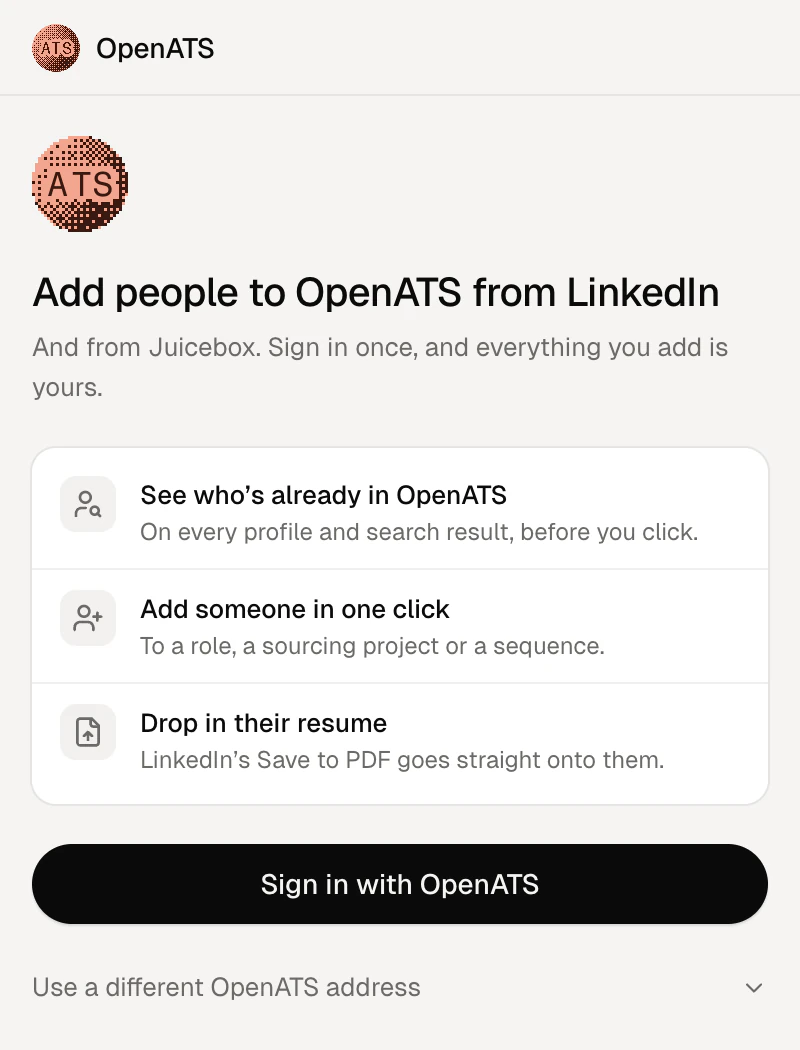
 OpenATS ExtensionFor Chrome and Brave
1Add it to Chrome
From the Chrome Web Store, then pin it to the toolbar.
2Sign in with OpenATS
Click its icon to open the panel, then Sign in with OpenATS. Choose Connect, and you’re set up as you.
3Open a profile or a shortlist
A LinkedIn profile fills the panel by itself. On Juicebox, the OpenATS column and controls appear in the page.
Questions, answered
What it reads, what it adds, and where it works.
Step by step, and what every badge means: the OpenATS Extension in the help center.
Looking for the extension that fills job applications? That one’s for job seekers.
Chrome 116 or later, and Brave. It opens as the browser’s side panel, next to the page you’re on.
LinkedIn profiles (linkedin.com/in/…), and Juicebox searches, shortlists and open profiles. Off those pages, the panel says what to open.
The profile you have open, while the side panel is open: name, headline, location, photo and work history. On Juicebox it reads the list you’re looking at, and email and phone only once you’ve revealed them there. It never clicks Reveal.
Not by itself. It adds people to OpenATS. If you choose a sequence in the extension’s Settings, they join it, and the sequence sends as it would for anyone you added.
You do: you’re the owner of the application it creates. With a workspace key instead of your own sign-in, what it adds has no owner.
Yes. Under Sign in with OpenATS, choose Use a different OpenATS address and enter yours.